Find the work behind the number
Group recorded usage by project, provider and period. Open the sessions that explain what those tokens were used for.
AI EffectivenessHopper Labs
Connect local AI conversations, recorded tokens and Git project evidence. Recover what you tried, spot work worth revisiting and inspect the evidence behind a review.
What makes it useful
Group recorded usage by project, provider and period. Open the sessions that explain what those tokens were used for.
Search thread names and excerpts, then read the original thread in bounded chunks. Recover earlier decisions without starting the same investigation again.
Run an explicit local model review with cited thread excerpts and code diffs. Inspect the reasoning and its evidence before deciding what to improve.
See it in the app
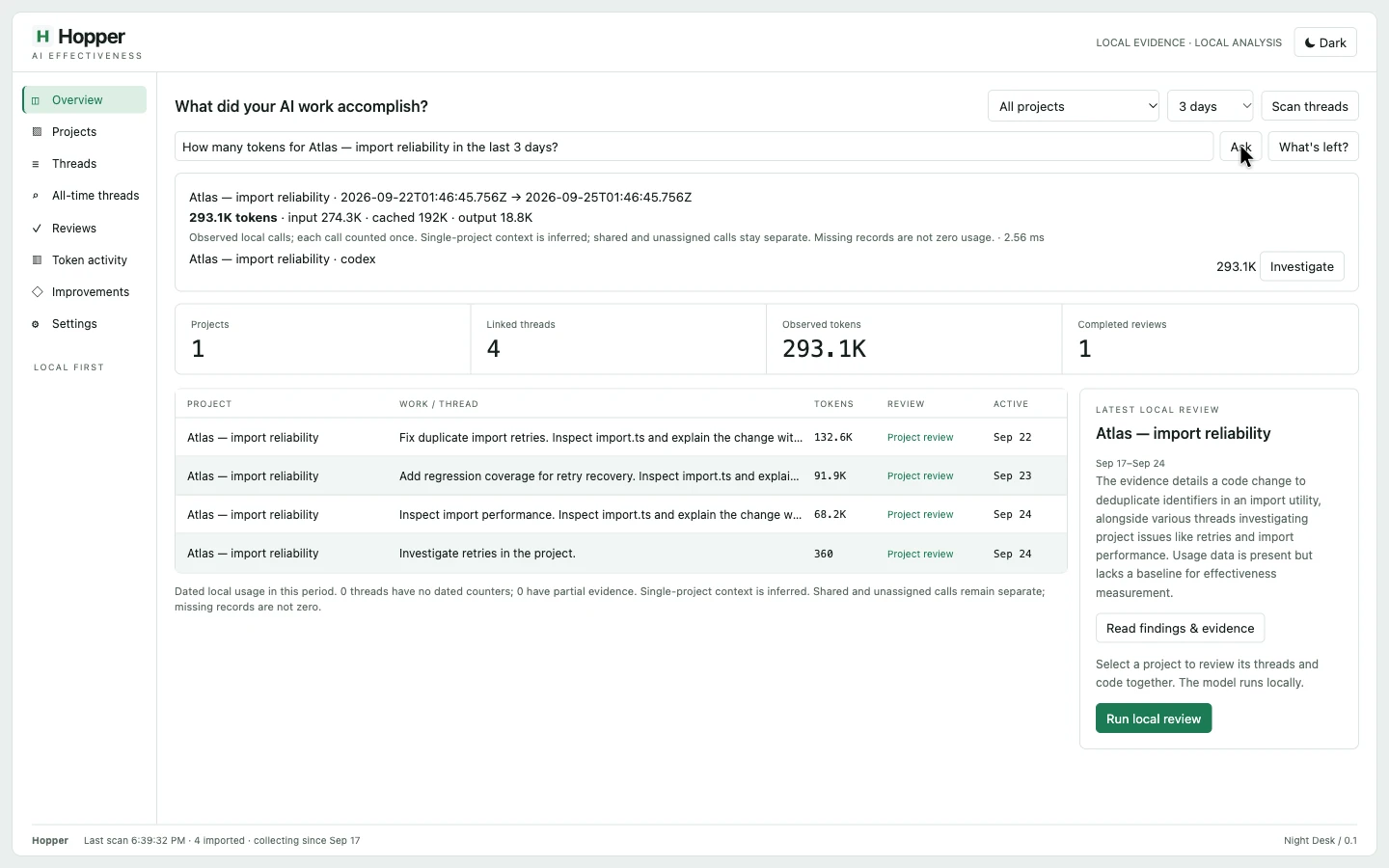
Move from a project’s recorded total to the conversations and evidence behind it. Inspect what was tried before starting the next round of work.
Useful alone. Better together.
Start with recorded usage. Resolve the project, open its work sessions and trace the source behind a feature. One connected investigation, with evidence you can inspect.
Explore the connected workflow →A closer look
The capability, the action, and what it means for you.
| Feature | What you can do | Why it matters |
|---|---|---|
| Project usage | What you can doGroup recorded usage by project, provider and period. | Why it mattersOpen the sessions that explain what those tokens were used for. |
| Thread discovery | What you can doSearch thread names and excerpts, then read the original thread in bounded chunks. | Why it mattersRecover earlier decisions without starting the same investigation again. |
| Evidence-based review | What you can doRun an explicit local model review with cited thread excerpts and code diffs. | Why it mattersInspect the reasoning and its evidence before deciding what to improve. |
| Coverage | What you can doKeep partial transcripts, unknown counters and shared project context visible. | Why it mattersJudge the coverage instead of mistaking missing data for zero activity. |
| Incremental collection | What you can doUse incremental collection and cached identical reviews. | Why it mattersSpend less time rereading unchanged history. |
| Agent interfaces | What you can doUse the same validated operations through SDK, CLI, HTTP or MCP. | Why it mattersBring project work evidence into your own workflow. |
6 capabilities
Signed and notarized desktop release 0.7.8.
AI Effectiveness