Get the map before the deep dive
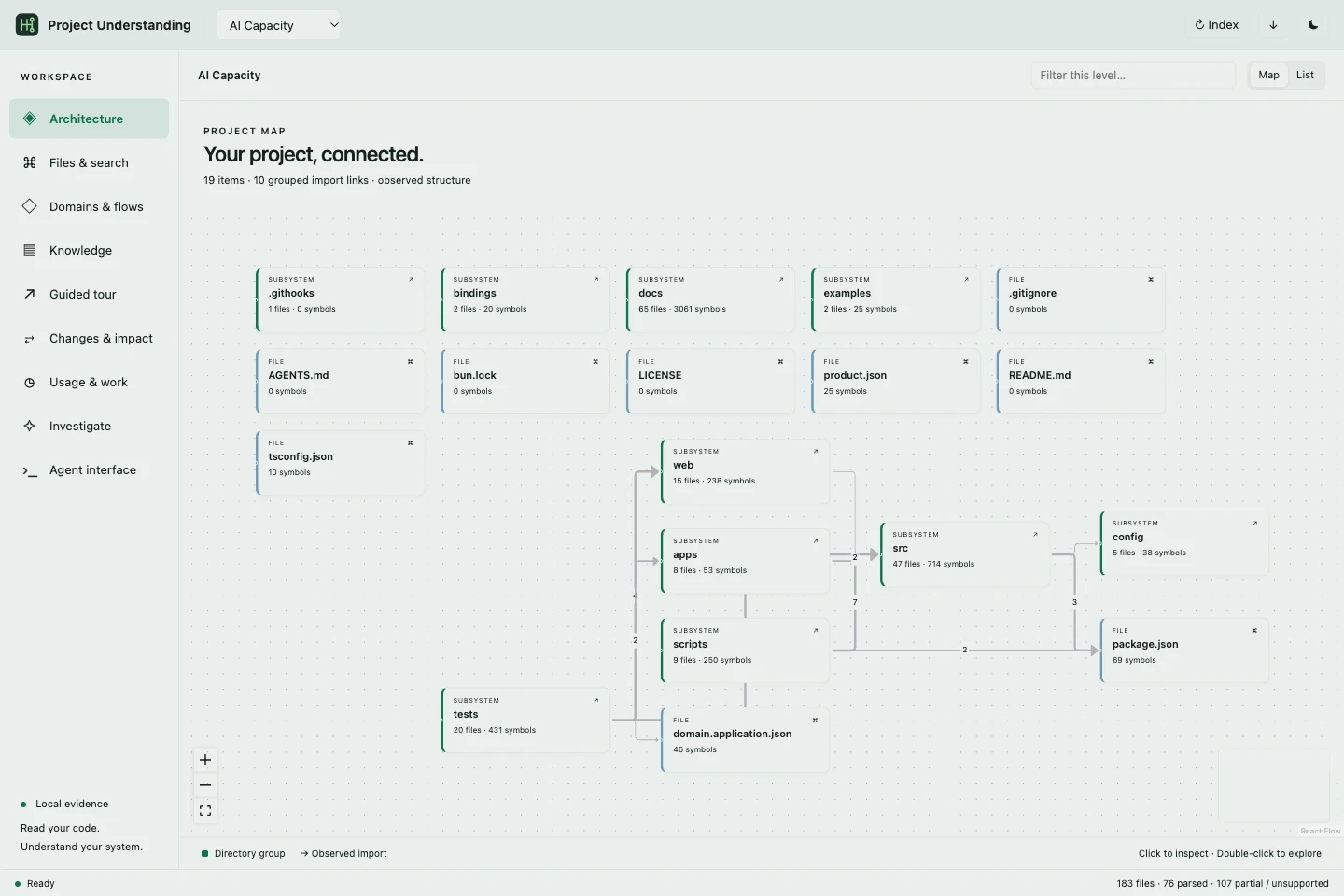
Browse captured directories, files, symbols and import relationships. Find the part of the system you need without opening every file.
Project UnderstandingHopper Labs
Get oriented in a project, follow its dependencies and inspect the source behind an explanation. Connect architecture and change impact to the AI work that surrounded them.
What makes it useful
Browse captured directories, files, symbols and import relationships. Find the part of the system you need without opening every file.
Explore static consumers, import paths and differences between captures. Build a focused review list for the code a change could affect.
Request a bounded explanation through your configured Studio model connection. Follow source citations to inspect how the answer was reached.
See it in the app
Navigate the observed structure, follow import relationships and drill into captured source. Keep the map and the evidence in the same investigation.
Useful alone. Better together.
Start with recorded usage. Resolve the project, open its work sessions and trace the source behind a feature. One connected investigation, with evidence you can inspect.
Explore the connected workflow →A closer look
The capability, the action, and what it means for you.
| Feature | What you can do | Why it matters |
|---|---|---|
| Architecture map | What you can doBrowse captured directories, files, symbols and import relationships. | Why it mattersFind the part of the system you need without opening every file. |
| Change impact | What you can doExplore static consumers, import paths and differences between captures. | Why it mattersBuild a focused review list for the code a change could affect. |
| Cited explanations | What you can doRequest a bounded explanation through your configured Studio model connection. | Why it mattersFollow source citations to inspect how the answer was reached. |
| Source search | What you can doSearch captured source content and read exact excerpts. | Why it mattersFind behavior, error messages and concepts hidden inside implementation. |
| Saved knowledge | What you can doRead saved guides and tours with explicit freshness information. | Why it mattersReturn to a useful explanation and know when the source has changed. |
| Connected investigation | What you can doJoin project work evidence with captured source through the public owners. | Why it mattersAsk how a feature, conversation and token history relate. |
6 capabilities
Explore the connected example with fictional data. Local app setup is separate.
Project Understanding