Choose where to start
Inspect reported limits. See which supported account has room for the work you are about to begin.
AI CapacityHopper Labs
See remaining usage, reset times and supported accounts in one clear view. Choose where to work before a limit interrupts your flow.
What makes it useful
Inspect reported limits. See which supported account has room for the work you are about to begin.
Compare observations over time. Know whether to switch accounts now or return when capacity becomes available.
Control presentation and uncertainty. Keep account details private while making the limits and unknowns clear.
Beyond the remaining percentage
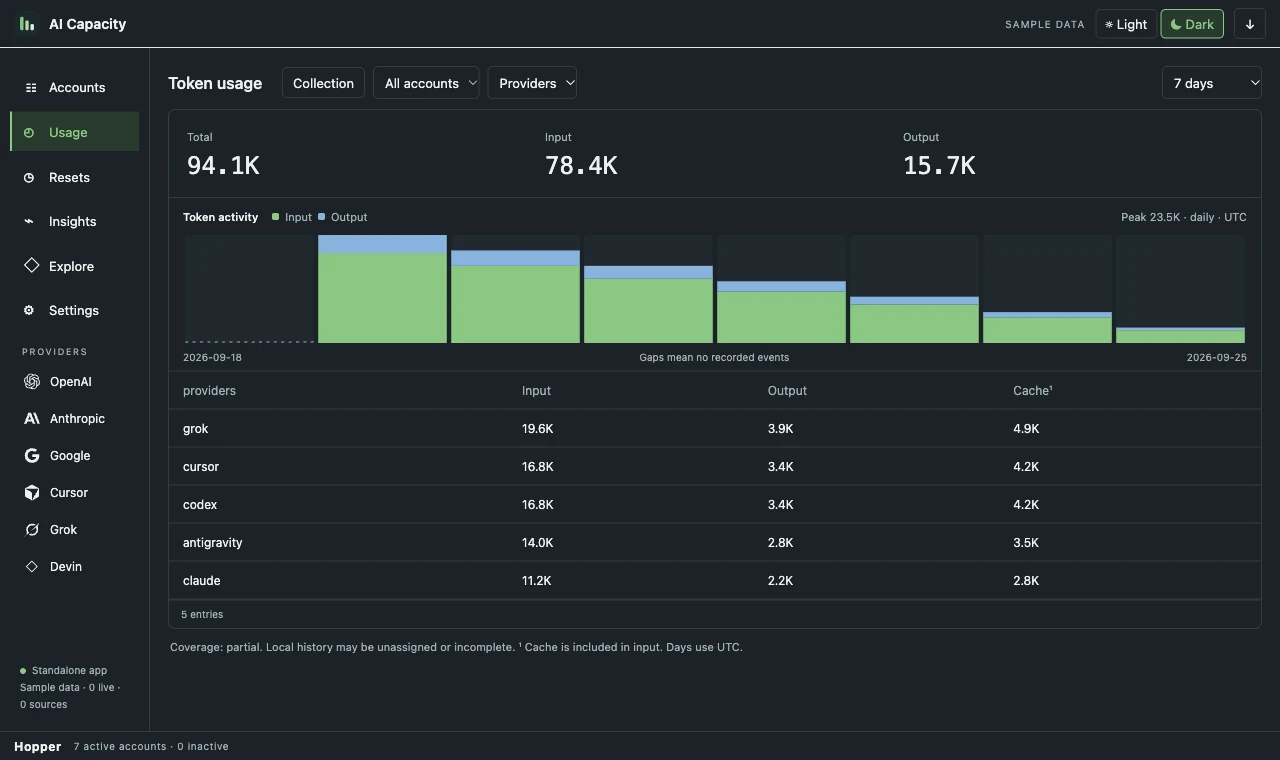
A remaining allowance tells you whether you can keep going. The usage view tells you what happened: input, output, dates and provider totals, with missing history kept visible.
Useful alone. Better together.
Start with recorded usage. Resolve the project, open its work sessions and trace the source behind a feature. One connected investigation, with evidence you can inspect.
Explore the connected workflow →A closer look
The capability, the action, and what it means for you.
| Feature | What you can do | Why it matters |
|---|---|---|
| Remaining usage and reset context | What you can doInspect reported limits. | Why it mattersSee which supported account has room for the work you are about to begin. |
| Local history | What you can doCompare observations over time. | Why it mattersKnow whether to switch accounts now or return when capacity becomes available. |
| Hidden identities and explicit unknowns | What you can doControl presentation and uncertainty. | Why it mattersKeep account details private while making the limits and unknowns clear. |
3 capabilities
Development preview 0.4.4 for macOS 14 or later on Apple silicon. Production and member downloads are in preparation. Provider sign-in and supported local clients are required; account data stays on your device.
AI Capacity