Useful alone
Brand Icon Lookup
Turn a website domain into a small, reusable icon. Look it up once, use the cache next time, and refresh when it changes.
Explore Brand Icon Lookup →Brand Icon Lookup + Mail
A company you recognize. An email you want to open. Brand Icon Lookup gives Mail those familiar visual cues, so the inbox feels more polished and the sender you want is easier to spot.
Useful alone
Turn a website domain into a small, reusable icon. Look it up once, use the cache next time, and refresh when it changes.
Explore Brand Icon Lookup →Useful alone
Read, organize and reply to your email in one inbox. The sender list is where you decide what deserves your attention.
Explore Mail →Better together
The same messages and layout, with one useful detail added. Switch between the two to see how familiar company icons change the feel of Mail.
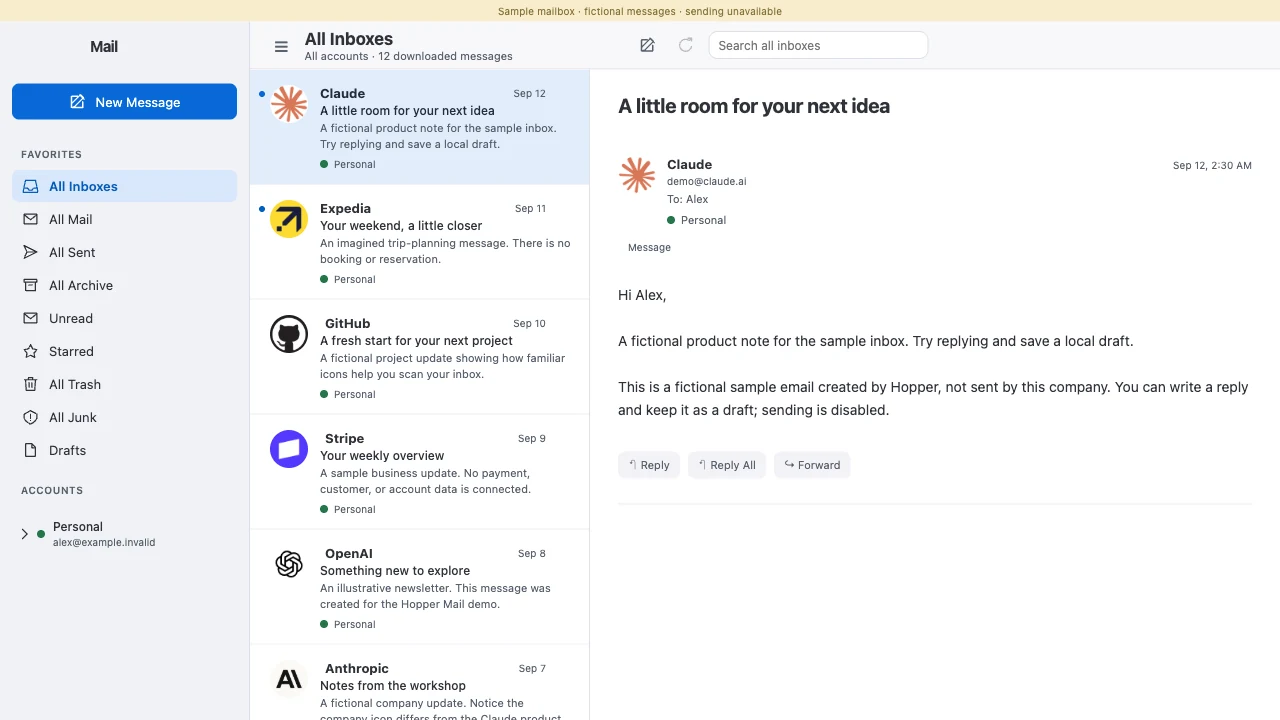
Mail identifies the sender’s website domain.
Brand Icon Lookup reuses its cache or acquires a usable website icon.
Mail displays the image beside the sender, with an initial-letter fallback.
Try the connection’s building block
This website preview includes a local icon cache. Looking up a new domain or refreshing an icon requires the connected app.
Website icons help recognition; they do not verify a sender’s identity.
Build the same connection
Your server connects to the Brand Icon Lookup owner. In a connected deployment, this browser example calls your site’s adapter to that owner.
Owner endpoint: GET /v1/icon-lookups/:domain. Keep the returned image cached and use an initial-letter avatar if lookup fails.
// Brand Icon Lookup's HTTP API, behind your app's server.
const response = await fetch(
  `/api/brand-icons/${encodeURIComponent(senderDomain)}`
);
if (!response.ok || response.status === 202) throw new Error("Icon lookup unavailable");
const icon = await response.json();
senderImage.src = `data:image/webp;base64,${icon.base64}`;Bring that little upgrade to your app
A customer list. A bookmarks folder. A dashboard full of company names. Anywhere people scan for something familiar, a recognizable icon can help. Explore Icon Lookup, then bring the same recognition to your own interface.
Build with Brand Icon Lookup →